For league and club assignors
Assign officials. Send the assignments. See who has accepted.
Ref Grid is referee scheduling software for youth leagues and clubs. Put officials on games, send the assignments by text or email, and see which positions are still open. Officials accept or decline from a link, with no account to create.

- No account or app for officials
- Text, email or both
- Positions named for your sport
How it works
Build your roster. Assign officials. Send the batch.
- 01
Build your roster
Import officials from a CSV, add them yourself, or send an invite so they enter their own contact details. For each official, note whether they want texts, email or both.
- 02
Assign officials
Pick an official for each open position on the board. Picks are saved as drafts, so you can fill a whole weekend and change your mind before anyone hears about it. Ref Grid warns you if an official already has a game at the same time.
- 03
Send the batch
Review the drafts and send them together. Each official gets a text, an email or both, with a link to accept or decline, and their answer shows up on the board.
Inside Ref Grid
The three screens you use every week.
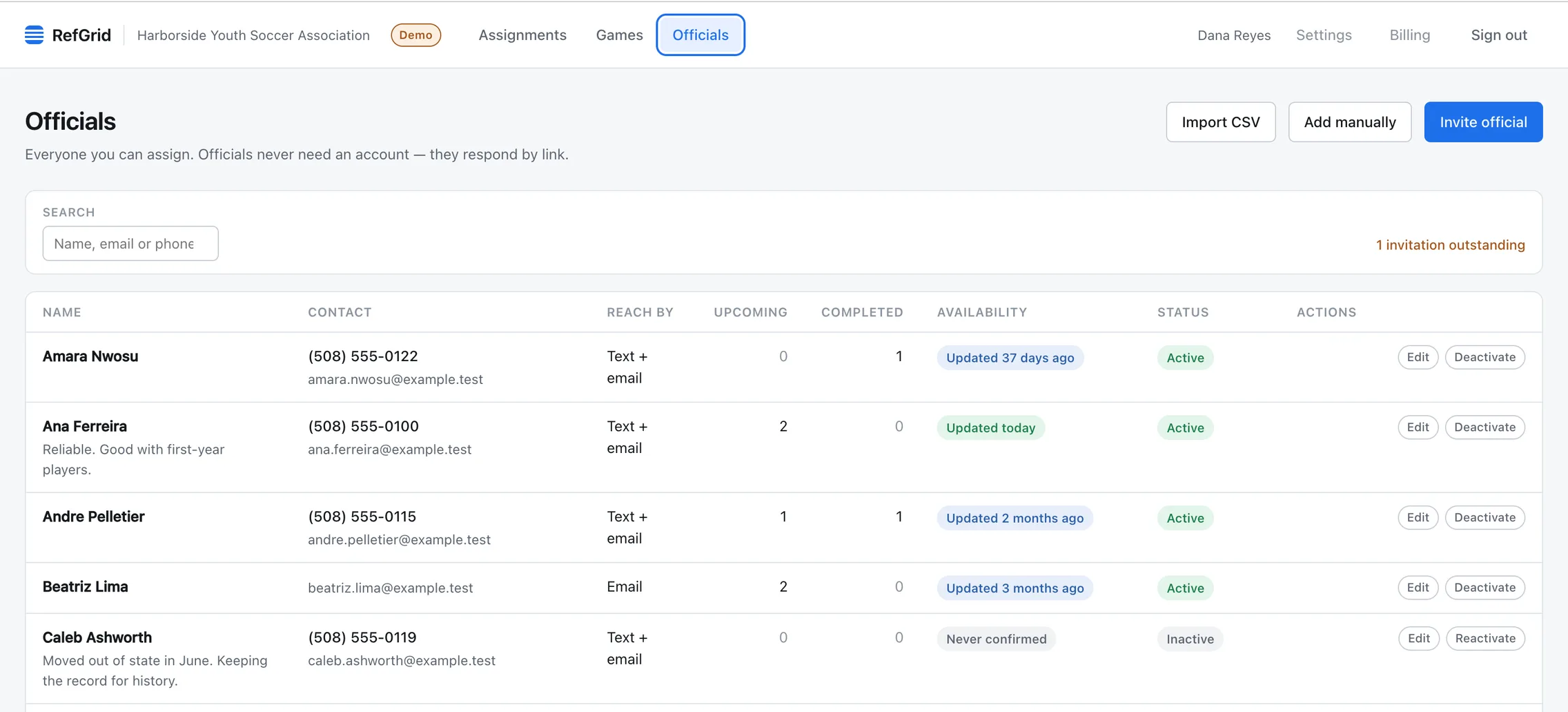
Your roster
Everyone you can assign, and how to reach them.
Officials don't create an account. Besides the assignment links, you can send each one a link to their profile, where they update their contact details and the days, times of day and divisions they prefer. The roster shows how long ago each official last confirmed those details.
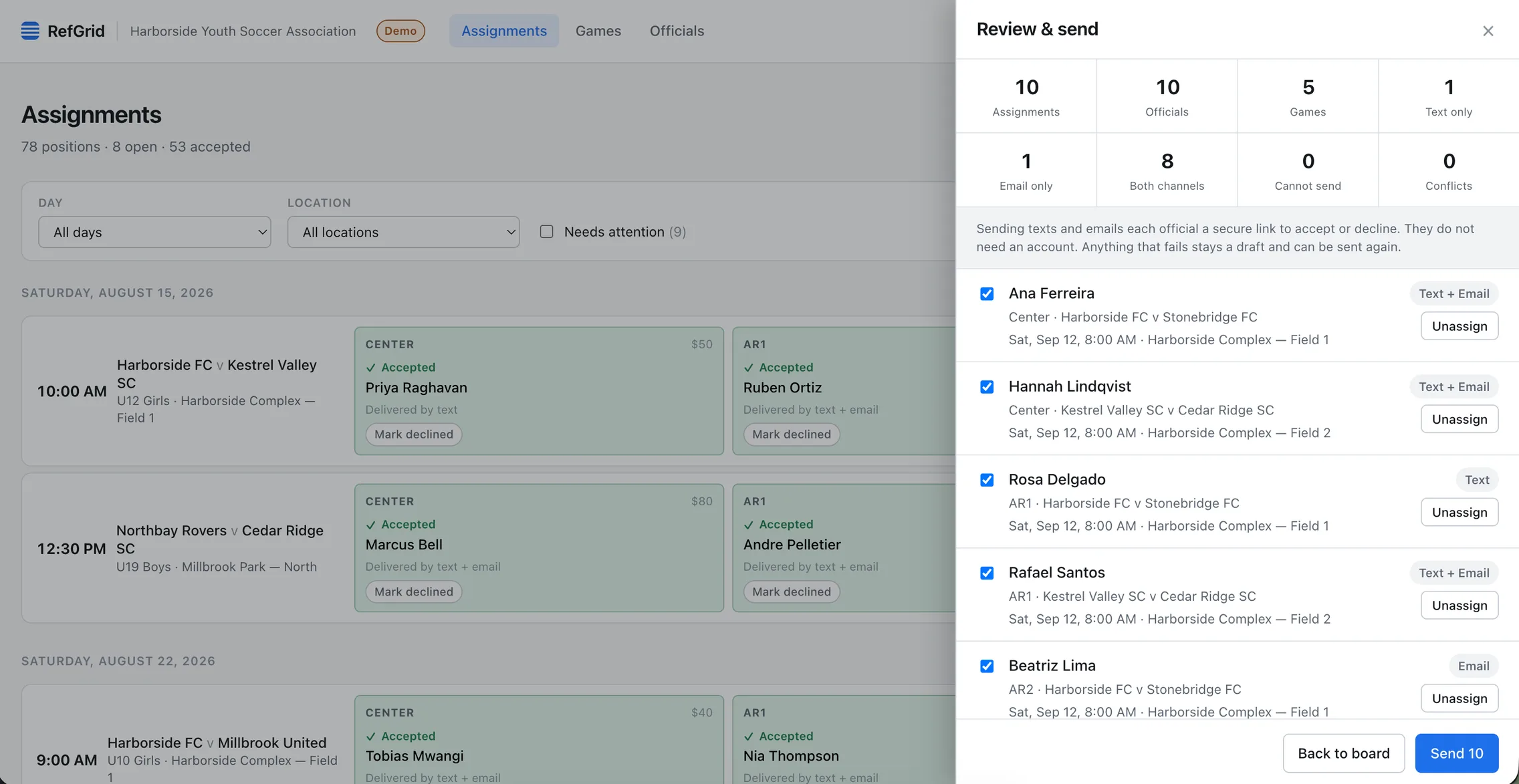
Review and send
Check the batch before anything goes out.
The review lists every official, the position and game they are getting, and whether it goes by text, email or both. It also counts anyone Ref Grid can’t reach on their chosen channel, so you can fix their details first.
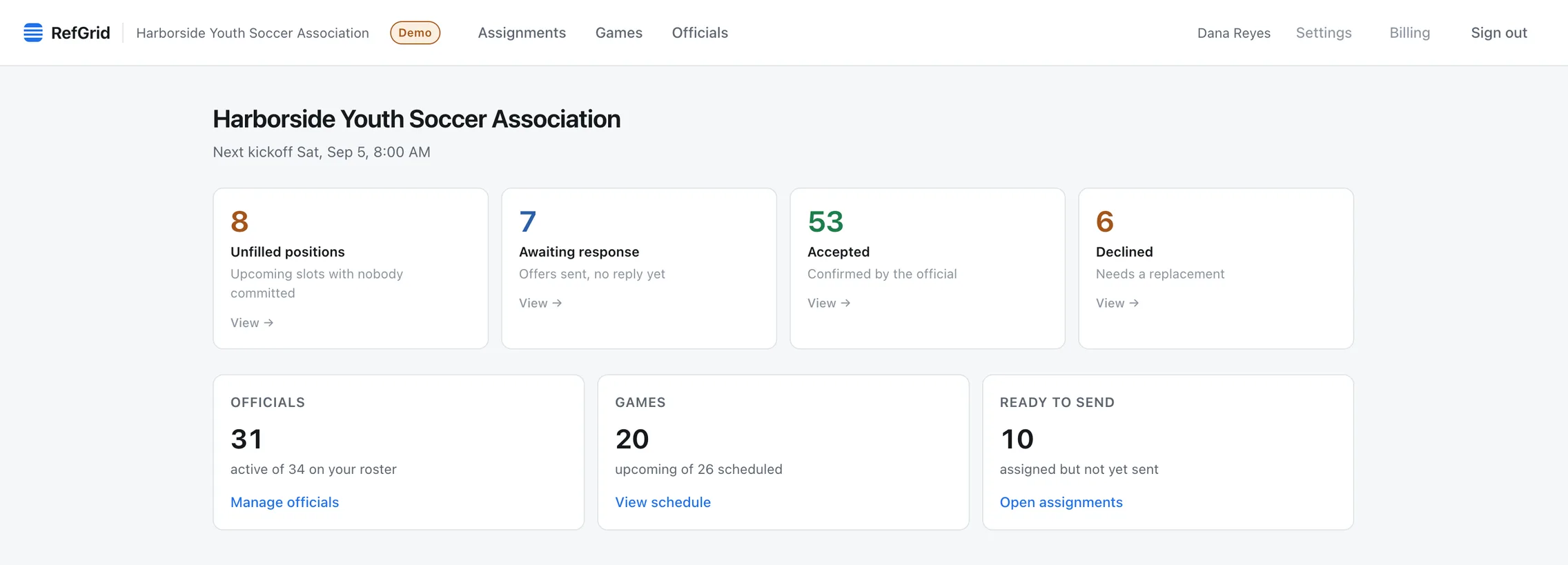
Where it stands
What is still open, and who hasn’t replied.
The dashboard counts positions with nobody on them, assignments waiting for a reply, accepted assignments, and declines that need a replacement. Each number opens the board filtered to those games.


Capabilities
What Ref Grid does.
It handles officials and their assignments, including telling them when you move a game or call it off. It doesn’t run registration, standings or scores.
Pick from 12 sports. New games start with that sport’s usual crew, which you can change on any game. See how it works for soccer, futsal and indoor soccer, baseball and softball, basketball, volleyball, ice hockey, field hockey, lacrosse, flag football and tackle football.
Your roster
Each official’s email, mobile number, preferred channel and your own notes. Import the roster from a spreadsheet or another assigning system, with a preview before anything is saved.
Drafts, then one send
Fill a weekend of positions as drafts and send them together. Officials get one round of messages instead of one each time you change your mind.
Text and email
Each official gets the assignment on the channel they chose. For every message, you can see whether it was sent, delivered or failed, as reported by the text and email providers.
Replies and replacements
Accepts and declines show on the game they belong to. A decline reopens the position and stays on the record. If an official tells you by phone, you can record the answer yourself.
Switching
Already running your league somewhere else? Bring it with you.
Upload the files you already have. Ref Grid reads your officials, upcoming games, locations, positions and who is assigned to what, shows you what it found, and saves nothing until you confirm. No official hears from Ref Grid until you switch notifications on.
From Arbiter
Upload the Games with Official Info report and your roster export. Games your officials accepted in Arbiter arrive as accepted.
Import from ArbiterFrom Assignr
Upload the games CSV and the people CSV. Each official arrives on the positions they hold, ready to send when you are.
Import from AssignrFrom a spreadsheet
CSV or Excel, in your own column order. Games, officials and assignments each import on their own, and there is a template for each if you are starting fresh.
Pricing
One plan, with a 14-day free trial.
Monthly and annual billing include the same features. The only difference is how often you pay.
Billed annually
$129/year
Save $51 vs. monthly
or $15/month
Get startedNo card needed to set up. Card required to activate your 14-day free trial. Card required. Nothing is charged until the trial ends, and you can cancel before then.
What’s included
- Unlimited games, officials and assignments
- Assignments by text and email
- Accept or decline from a link, with no account for officials
- Pre-game reminders to officials who accepted
- CSV import and pay report export
- 2,000 SMS segments a year
- More than one administrator
Questions about the plan? Contact us.
Request a demo
See how Ref Grid would work for your league or club
Tell us about your organization and we’ll get back to you.
Prefer to look around yourself? You can set up your organization without talking to us: get started.
Try Ref Grid on your next weekend of games.
Set up your organization, import your officials and games from a spreadsheet or from Arbiter or Assignr, and see your assignment board. Activate the 14-day free trial when you are ready to send.